My Quiz: when the parent writes the questions
Every learning app has the same limit: someone else decides the questions. But the person who knows exactly what your child is studying this week, which spellings they're stuck on, which tables they keep mixing up, is you.
My Quiz in School Skills lets you write the quiz yourself, and your child plays it like any other KidsZone game.
How it works
The quiz is written on the grown-ups page. There, under My quizzes, you tap New quiz and write a short set of questions. You can use several question types:
- Pictures to pick from
- Sums
- Words to spell
- True or false
- A sentence with a gap
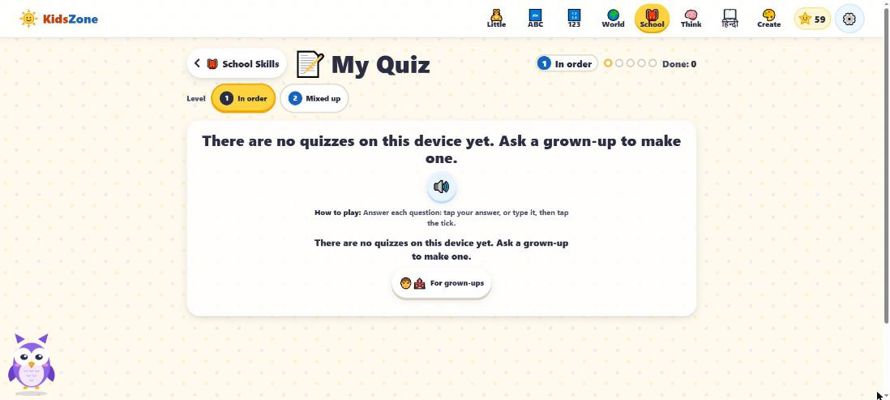
Your child then opens My Quiz in School Skills, picks the quiz and answers each question by tapping or typing, then the tick. The screenshot shows the page before any quiz has been made: it simply says "There are no quizzes on this device yet. Ask a grown-up to make one," with a button that takes you to the grown-ups page.
Two ways to play
- In order: questions come in the order you wrote them
- Mixed up: the order changes, so your child can't just remember the sequence
"Mixed up" is good once your child knows the material, because it checks real recall.
Kept on your device
Like everything else on KidsZone, quizzes are stored only on the device where you made them. Nothing is uploaded and nobody else sees them.
Ideas for quizzes
- This week's spellings from the school diary
- Tricky tables: the 7s and 8s that keep going wrong
- EVS facts: "A fish breathes through its ___"
- Family quiz: "What is Dadi's village called?" "When is Papa's birthday?"
- Hindi words, if you're helping with a second language
The family quiz is a surprise favourite. Children love questions about people they know.
Keep it short
Five to eight questions is plenty. A short quiz that ends with a smile is better than a long one that ends in yawns. If your child gets one wrong, don't fix it immediately. Let them finish, then go back together.
Let your child write one
Once your child knows how My Quiz works, help them write a quiz for you. Deciding what to ask, and knowing the right answers, is one of the best ways to revise. And they'll enjoy watching you get one wrong.
You'll find My quizzes on the For grown-ups page, behind a short "press and hold" check so children don't wander in by accident.

MindStick Software Pvt. Ltd. is a Microsoft Gold Partner in software application development. Our expertise is in software product design, custom programming, database design, web design and programming and cutting edge mobile applications development.