How many corners does a square have? Shape Hunt from flat shapes to 3D
Ask a four-year-old to name a circle and they'll do it instantly. Ask how many corners a square has, and you'll often see them start counting in the air with a finger, unsure where to begin. Naming a shape and understanding it are two separate steps.
Shape Hunt in Numbers & Sums covers both, and then goes one step further into the shapes of real things.
How it works
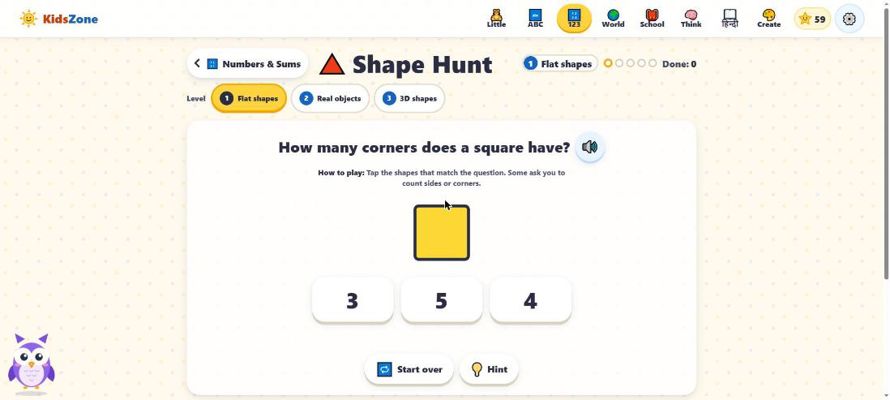
In the screenshot, a yellow square sits in the middle and the question reads "How many corners does a square have?" Three answers appear below: 3, 5 and 4. Your child taps 4. Other questions ask your child to tap all the shapes that match, such as every triangle in a group. The speaker button reads the question aloud, and there's a Hint if they get stuck.
Three levels
- Flat shapes: circles, squares, triangles, rectangles and friends, plus questions about sides and corners
- Real objects: everyday things and the shapes hiding in them
- 3D shapes: cubes, spheres, cylinders and cones
The jump from level 2 to level 3 is worth pausing on. Flat shapes live on paper. Real life is three-dimensional. A ball isn't a circle, it's a sphere; a tin isn't a rectangle, it's a cylinder. Children who learn that difference early find later geometry much less confusing.
Counting sides and corners
The sides-and-corners questions are the heart of this game. To answer them, a child has to look at a shape slowly and count carefully, going round once without skipping or counting twice. That's careful attention, and it's useful well beyond maths.
A tip: let your child trace the edges on the screen with a finger while counting. Touch helps the counting stay organised.
Make the house a shape museum
This week, ask your child to collect one object for each 3D shape and line them up on a table:
- a sphere: an orange or a ball
- a cube: a dice or a small box
- a cylinder: a pencil holder or a steel glass
- a cone: an ice-cream cone or a funnel
Label them with paper slips. Children are very proud of a museum they built themselves, and they'll explain it to every visitor.
Shapes in drawing
If your child enjoys shapes, the Paint Studio in Create is a natural next step. Ask them to draw a house using only squares and triangles, or a robot using only rectangles and circles. It's geometry, but it feels like art.
And for children who like turning shapes around in their heads, Same Shape, Turned in Think & Remember is a good challenge.

MindStick Software Pvt. Ltd. is a Microsoft Gold Partner in software application development. Our expertise is in software product design, custom programming, database design, web design and programming and cutting edge mobile applications development.